
How to add a free CAPTCHA to WPForms
Add a free CAPTCHA to WPForms in a few clicks. Procaptcha is free up to 10,000 form verifications per month, cookieless, and GDPR-compliant, with no reCAPTCHA in the loop.

CAPTCHA Updated 2 min read
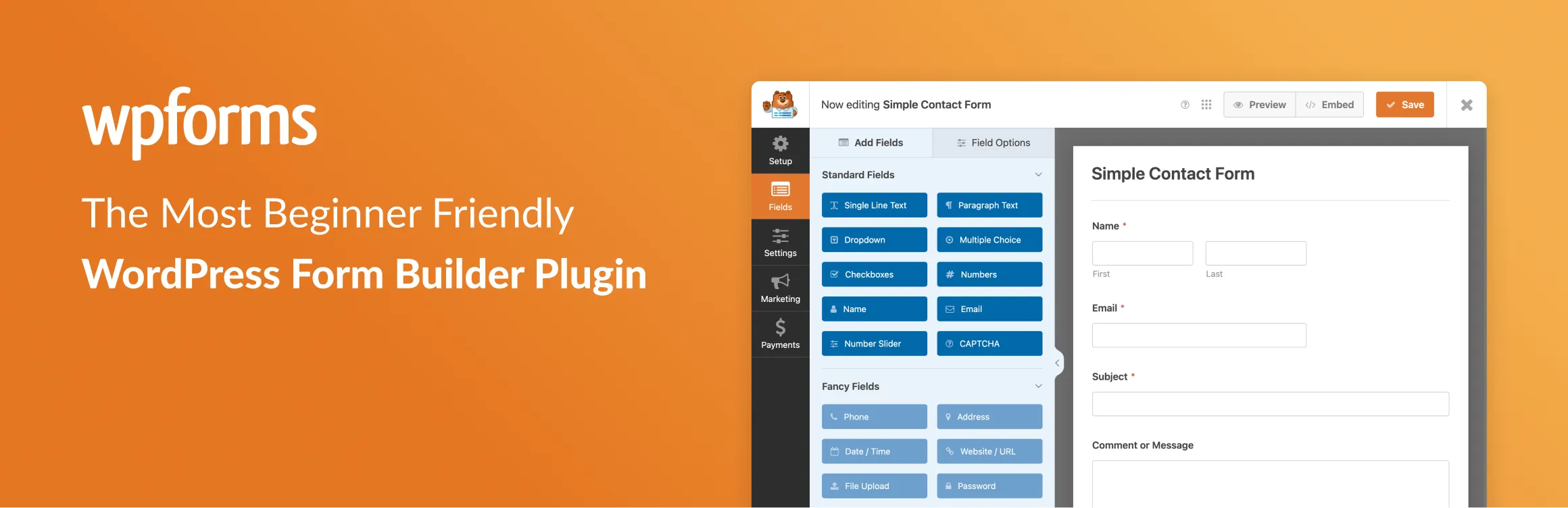
The free WPForms CAPTCHA option
WPForms comes with a built-in "custom captcha" (simple maths puzzles) and integrations for Google reCAPTCHA, hCaptcha, and Cloudflare Turnstile. None of them are ideal. The maths captcha is trivially solvable by modern bots. reCAPTCHA drops third-party tracking cookies, so it needs a consent banner under GDPR. And once your WPForms form crosses the reCAPTCHA free tier or the hCaptcha Pro threshold, you start paying for the same forms you paid nothing to build.
Procaptcha is the free WPForms CAPTCHA integration that doesn't need a payment page or a cookie banner. Free up to 10,000 verifications per month, cookieless, and installed from the same WPForms captcha field you already use. No code, no shortcodes, no consent-banner rework.
What is WPForms?
WPForms is a user-friendly and versatile form builder plugin for WordPress, designed to help users create various types of forms without needing to write any code. It offers a drag-and-drop interface, making it accessible for beginners and experienced users alike. WPForms supports a wide range of form types, including contact forms, surveys, order forms, payment forms, and event registration forms.
Key features of WPForms include pre-built form templates, allowing users to quickly set up forms tailored to different purposes. Users can customize the appearance, fields, and layout of the forms with ease. The plugin offers powerful conditional logic, enabling forms to dynamically show or hide fields based on user input.
WPForms also integrates with popular email marketing services, such as Mailchimp and Constant Contact, helping users build and manage mailing lists. Additionally, it supports payment gateways like PayPal and Stripe, allowing users to collect payments directly through their forms.
WPForms is mobile-responsive, ensuring that forms look great on all devices. It also offers detailed form entry management and notifications, helping site administrators track submissions and respond promptly.
WPForms has both a free version, which covers basic form-building needs, and a premium version with advanced features like multi-page forms, file uploads, and integrations with marketing tools. This makes it a scalable solution for businesses and personal websites alike.
Why Use Prosopo Procaptcha With WP Forms?
Prosopo is a specialist bot and agent trust platform. Every block comes with a reason, in plain words, on a proprietary detection engine with an open-source client stack. UK-incorporated, EU-processed, GDPR-native. It stops the abuse patterns WordPress form spam alone doesn't cover:
- Scraping
- Denial of inventory
- Credential stuffing
- Account takeover
- Click through rate/ad fraud
- Ticket scalping
- Black friday automation (and more general sale automation)
- Phishing attacks
- Loyalty programme automation
Prosopo also keeps visitor data out of Google's data controller chain for reCAPTCHA telemetry — the 2026 reCAPTCHA terms change reclassified Google as controller rather than processor.
Being spammed by bots?
Stop spam for free today
How to integrate Prosopo Procaptcha with WP Forms
Install the Prosopo WordPress plugin
Register for a free account on Prosopo
Login to the Prosopo dashboard, and copy your site key and secret key
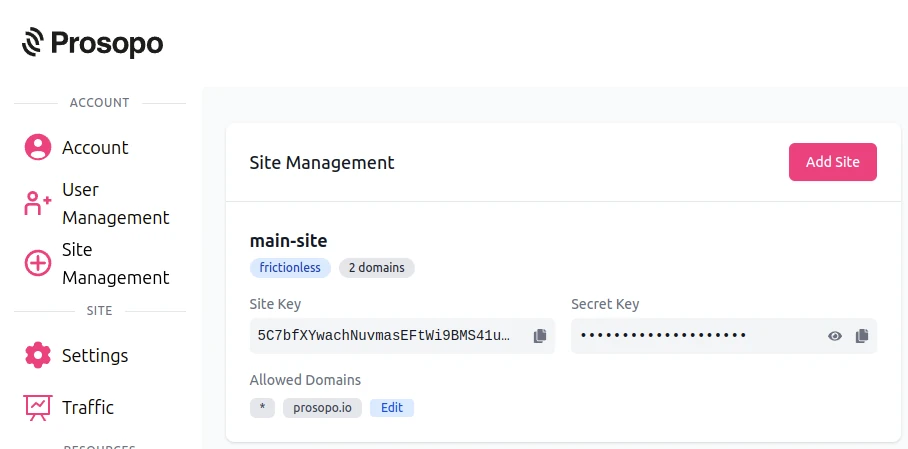
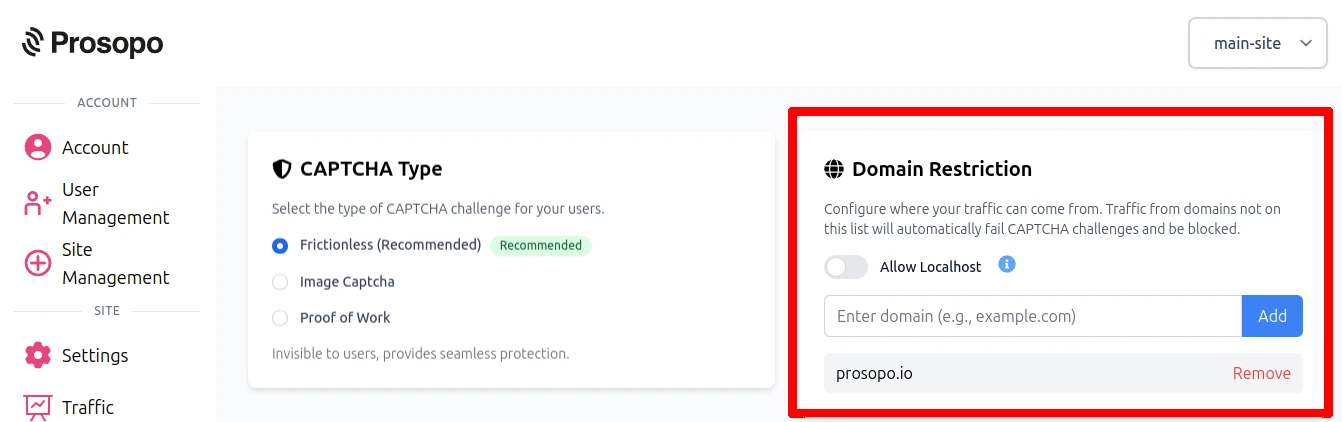
- Add your domain in the Prosopo dashboard, if it is not already present
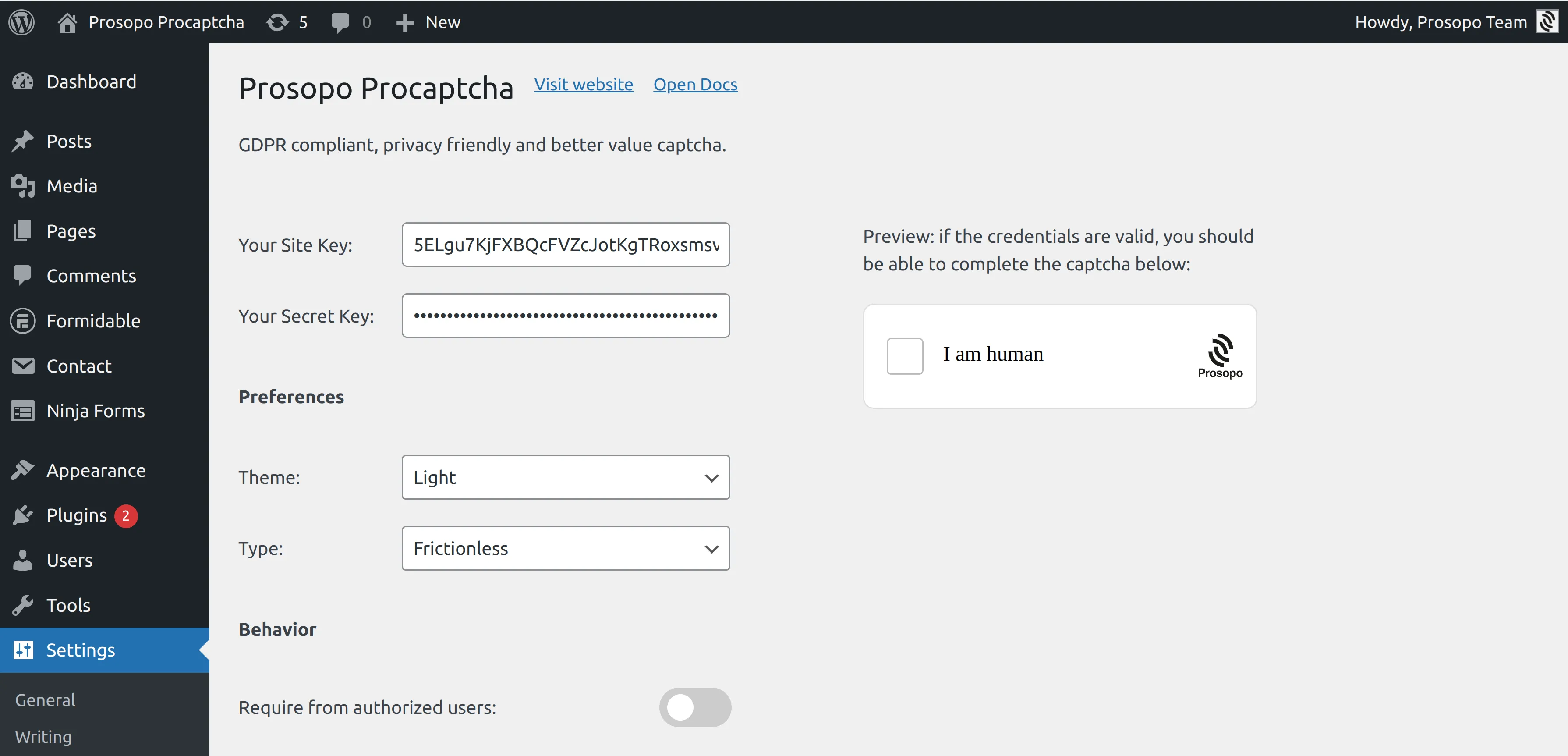
- Add your site key and secret key to the Prosopo WordPress plugin settings. You can find them in Site Management in the Prosopo dashboard.
- From within any Form in WP Forms, select "Prosopo Procaptcha".
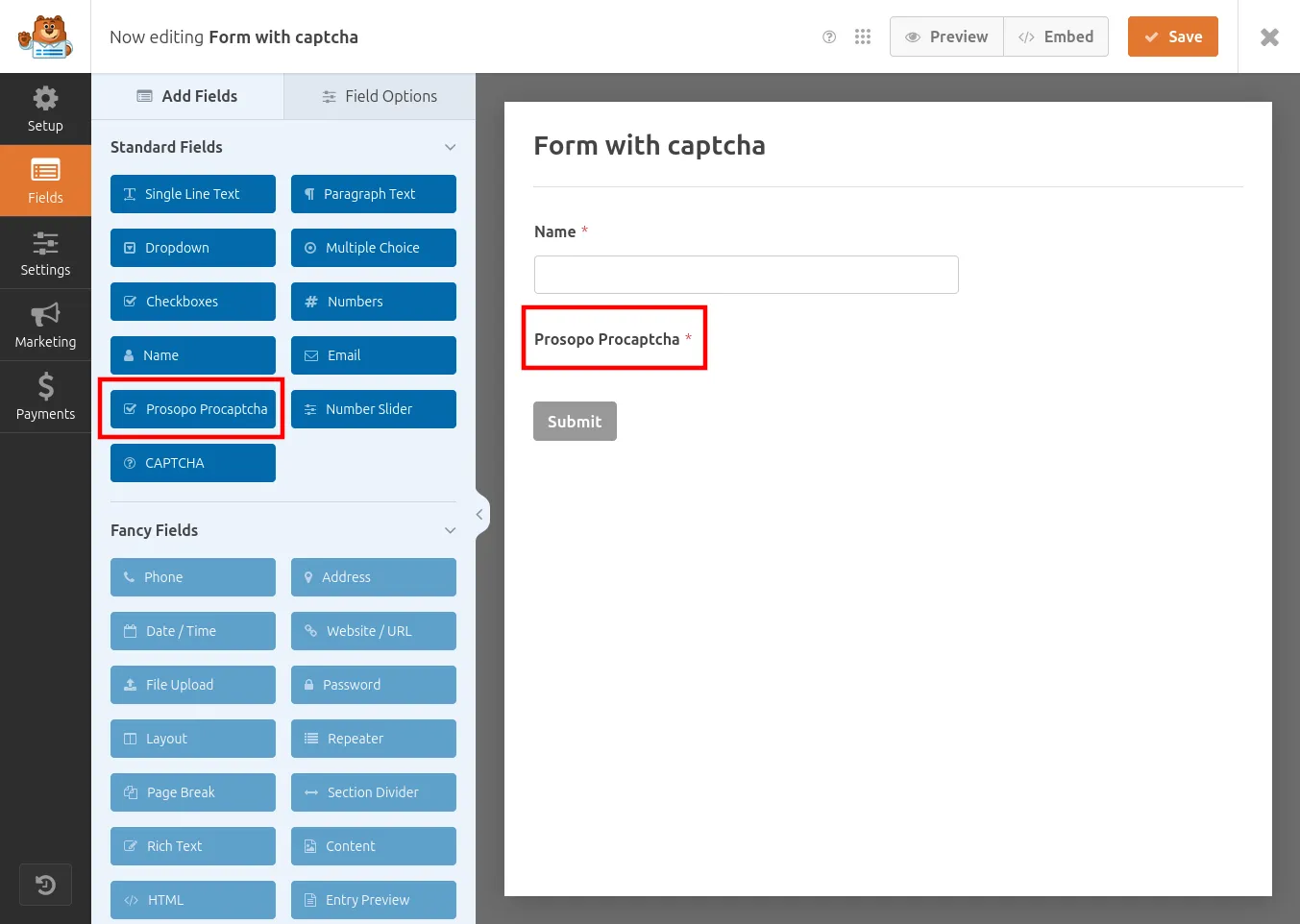
Once you save the form, CAPTCHA will automatically be included in it. Remember to repeat the process for every WP Form you want to add CAPTCHA to.
Related
- Contact Form 7 spam protection — the same setup for CF7, the other most-installed WordPress form plugin.
- Spam bot protection — the broader use case: why your forms get spam and how to stop it across every platform.
- Free anti-spam for WordPress — all 16 WordPress plugin integrations on one page, plus Akismet positioning.
- Spam Filter — pair the CAPTCHA with email-pattern and traffic-source filtering (throwaway Gmail/iCloud/Yahoo addresses, VPN/Tor, disposable domains).
Ready to ditch Google reCAPTCHA?
Procaptcha is free for 10K requests a month. No credit card, no cookies.