
How to add CAPTCHA to MemberPress
Stop fake MemberPress signups at checkout — Procaptcha blocks bots on registration and login forms before they hit your membership site.


What is MemberPress?
MemberPress is a powerful membership plugin for WordPress that allows you to create, manage, and sell memberships on your site. It provides features such as content protection, subscription management, and payment integration, making it an ideal solution for building membership sites.
Why Use Prosopo Procaptcha With MemberPress?
Prosopo is a specialist bot and agent trust platform. Every block comes with a reason, in plain words, on a proprietary detection engine with an open-source client stack. UK-incorporated, EU-processed, GDPR-native. It stops the abuse patterns WordPress form spam alone doesn't cover:
- Scraping
- Denial of inventory
- Credential stuffing
- Account takeover
- Click through rate/ad fraud
- Ticket scalping
- Black friday automation (and more general sale automation)
- Phishing attacks
- Loyalty programme automation
Prosopo also keeps visitor data out of Google's data controller chain for reCAPTCHA telemetry — the 2026 reCAPTCHA terms change reclassified Google as controller rather than processor.

How to integrate Prosopo Procaptcha with MemberPress
Install the Prosopo WordPress plugin
Register for a free account on Prosopo
Login to the Prosopo dashboard, and copy your site key and secret key
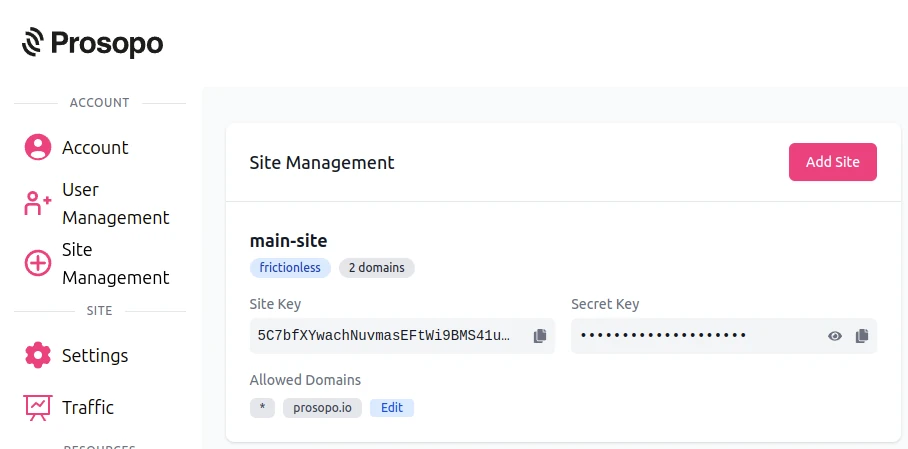
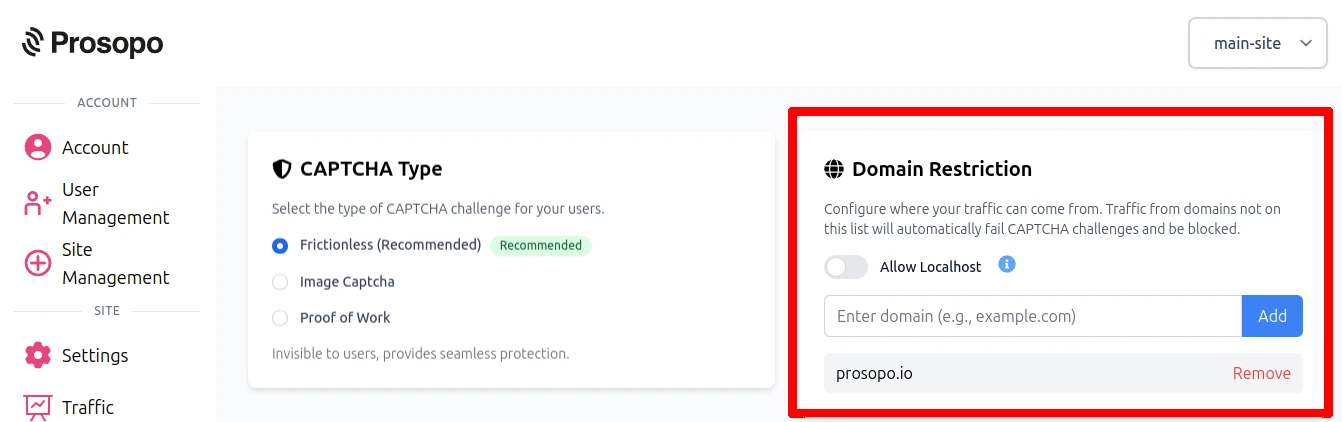
- Add your domain in the Prosopo dashboard, if it is not already present
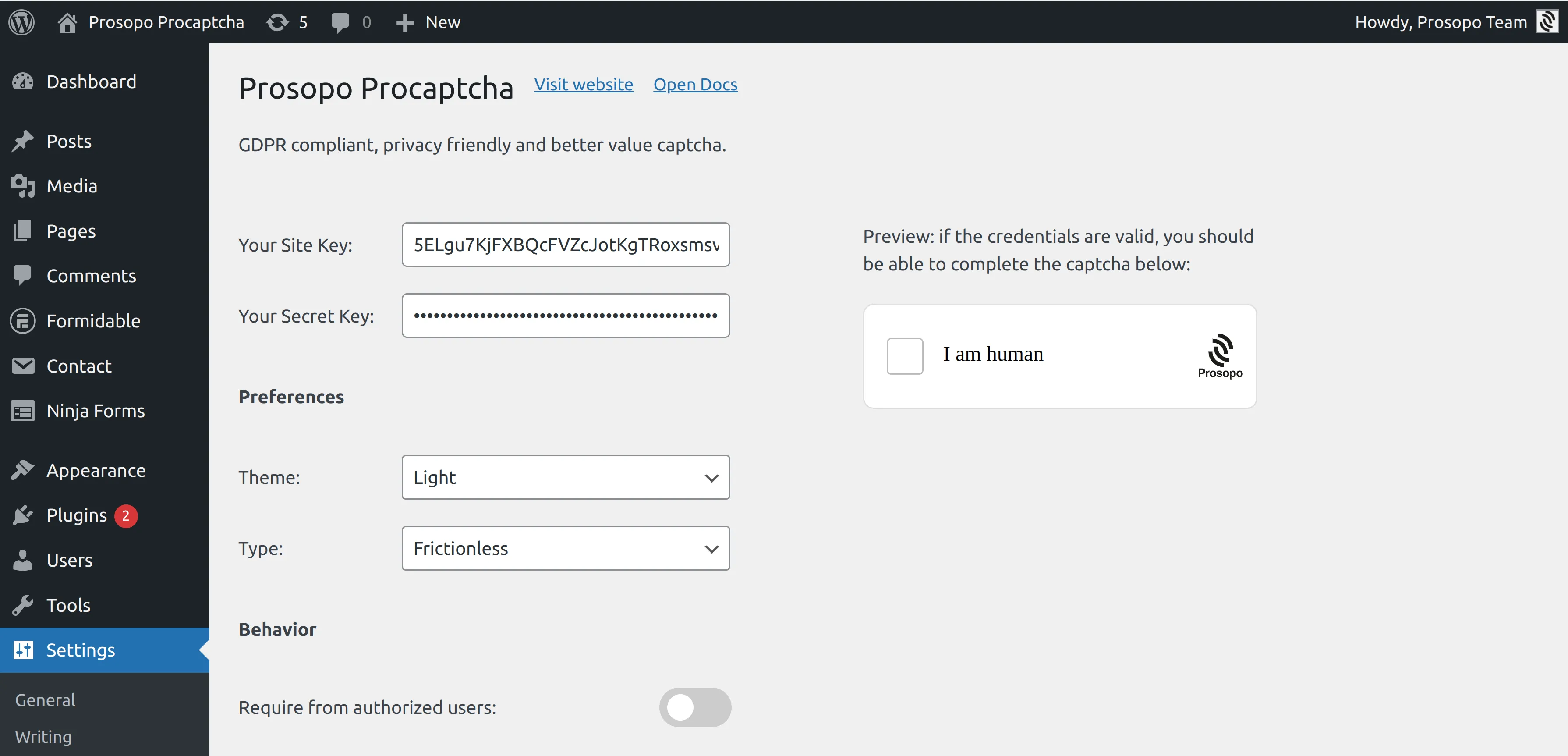
- Add your site key and secret key to the Prosopo WordPress plugin settings. You can find them in Site Management in the Prosopo dashboard.
- From within any membership in MemberPress, enable "Procaptcha protection".
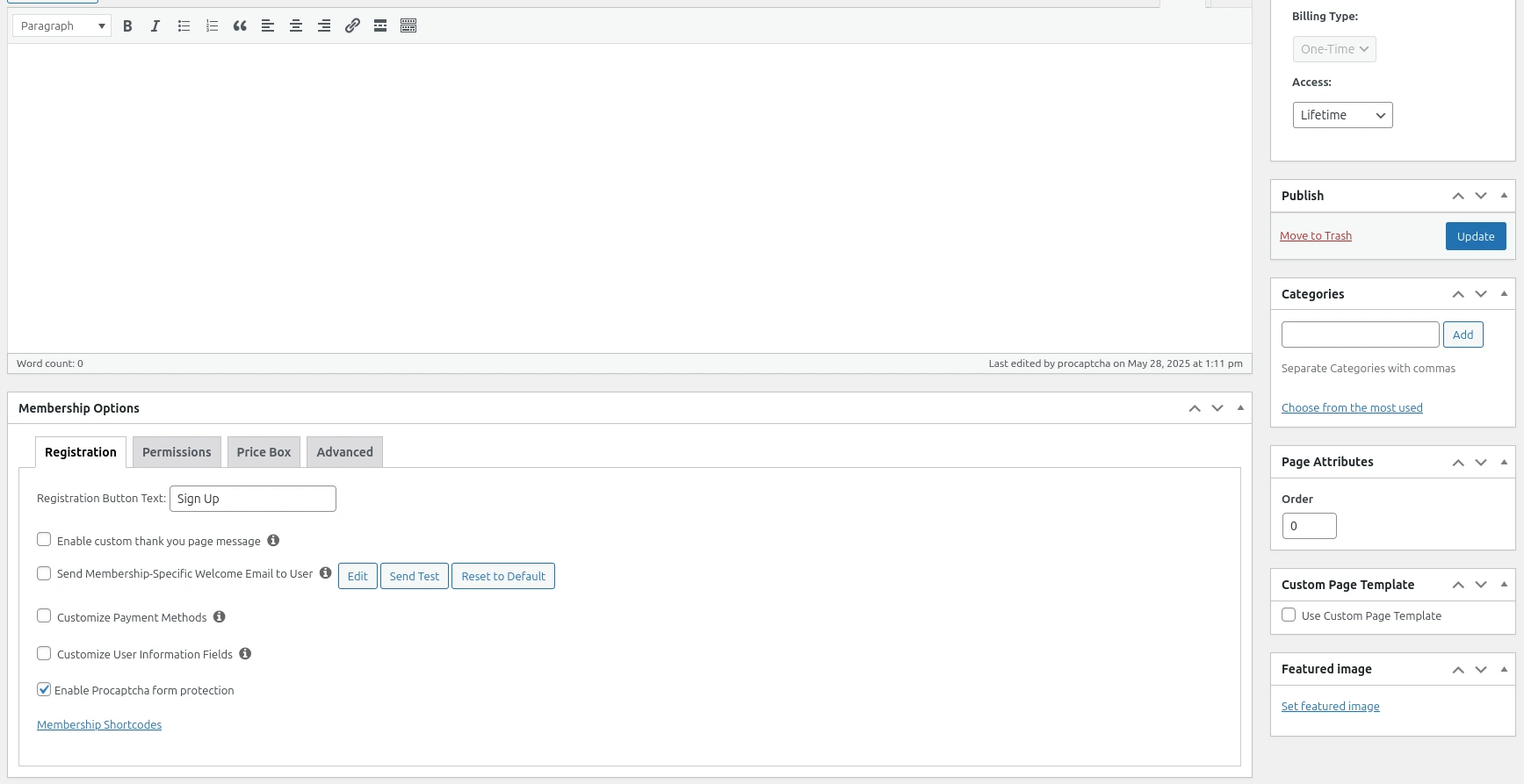
Once you save the membership, CAPTCHA will automatically be included in the register form. Remember to repeat the process for every membership you want to add CAPTCHA to.