
How to add CAPTCHA to JetFormBuilder
Add a free, privacy-first CAPTCHA to JetFormBuilder — Procaptcha appears in the form's own Captcha Provider dropdown, so protection is one setting away.

CAPTCHA 2 min read
What is JetFormBuilder?
JetFormBuilder is a Gutenberg-native form builder from Crocoblock. Forms are built from blocks in the WordPress block editor rather than in a separate interface, and post-submit actions let a single form register a user, create a post, take a payment or push data to a CRM. That flexibility is exactly why bots target it: one unprotected JetFormBuilder form can create accounts and content on your site automatically.
Why Use Prosopo Procaptcha With JetFormBuilder?
Prosopo is a specialist bot and agent trust platform. Every block comes with a reason, in plain words, on a proprietary detection engine with an open-source client stack. UK-incorporated, EU-processed, GDPR-native. It stops the abuse patterns WordPress form spam alone doesn't cover:
- Scraping
- Denial of inventory
- Credential stuffing
- Account takeover
- Click through rate/ad fraud
- Ticket scalping
- Black friday automation (and more general sale automation)
- Phishing attacks
- Loyalty programme automation
Prosopo also keeps visitor data out of Google's data controller chain for reCAPTCHA telemetry — the 2026 reCAPTCHA terms change reclassified Google as controller rather than processor.
Being spammed by bots?
Stop spam for free today
How to integrate Prosopo Procaptcha with JetFormBuilder
Install the Prosopo WordPress plugin
Register for a free account on Prosopo
Login to the Prosopo dashboard, and copy your site key and secret key
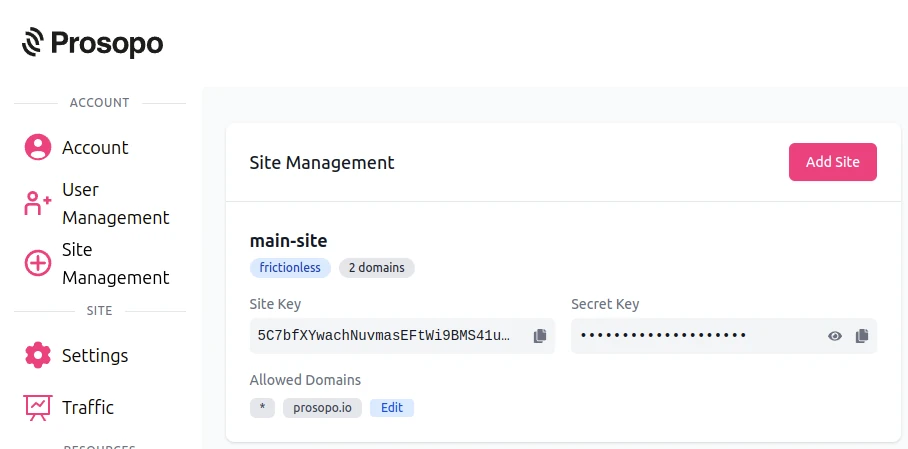
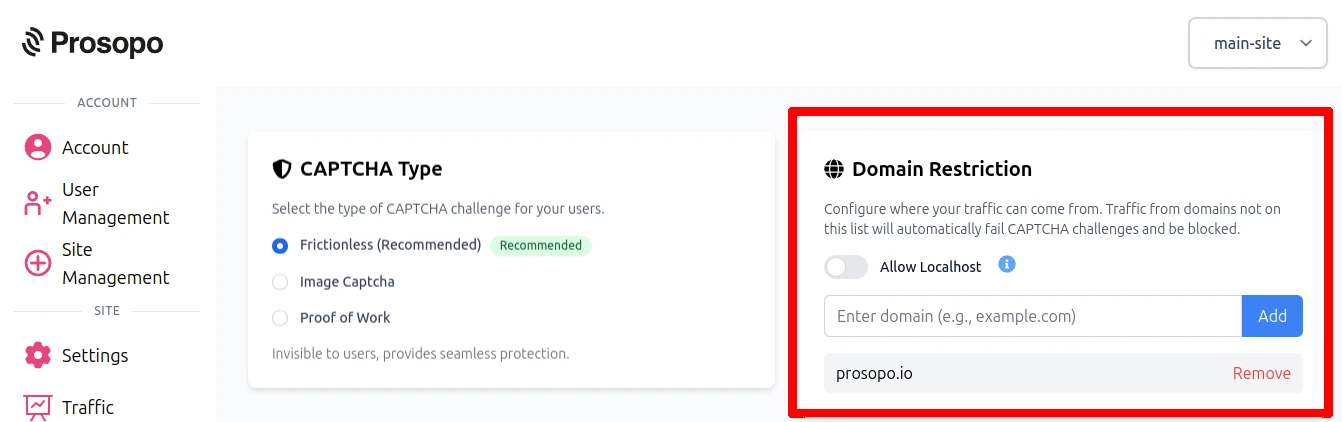
- Add your domain in the Prosopo dashboard, if it is not already present
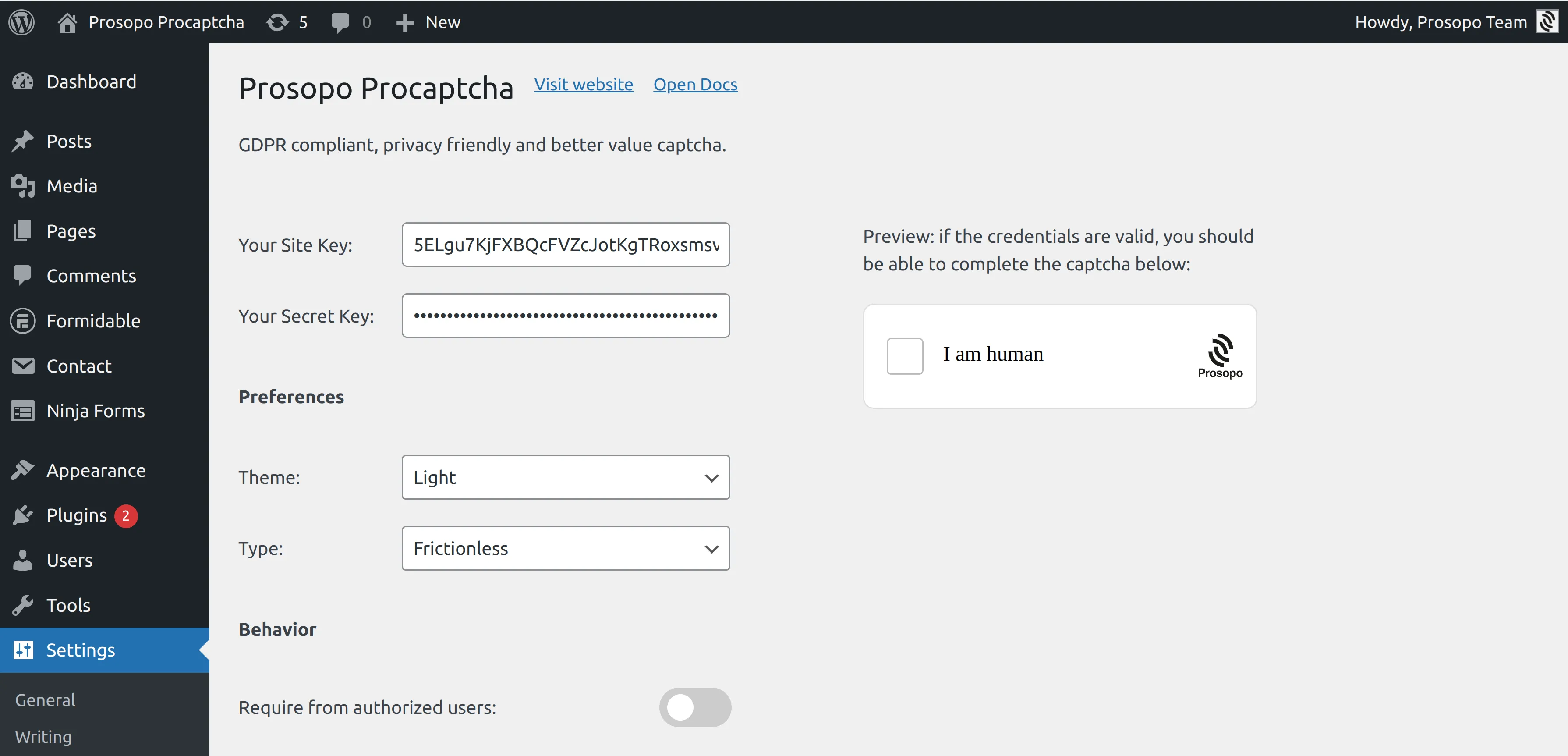
- Add your site key and secret key to the Prosopo WordPress plugin settings. You can find them in Site Management in the Prosopo dashboard.
- Open the form you want to protect under JetFormBuilder → Forms, expand the Captcha Settings panel in the JetForm sidebar tab, and set Captcha Provider to "Prosopo Procaptcha".
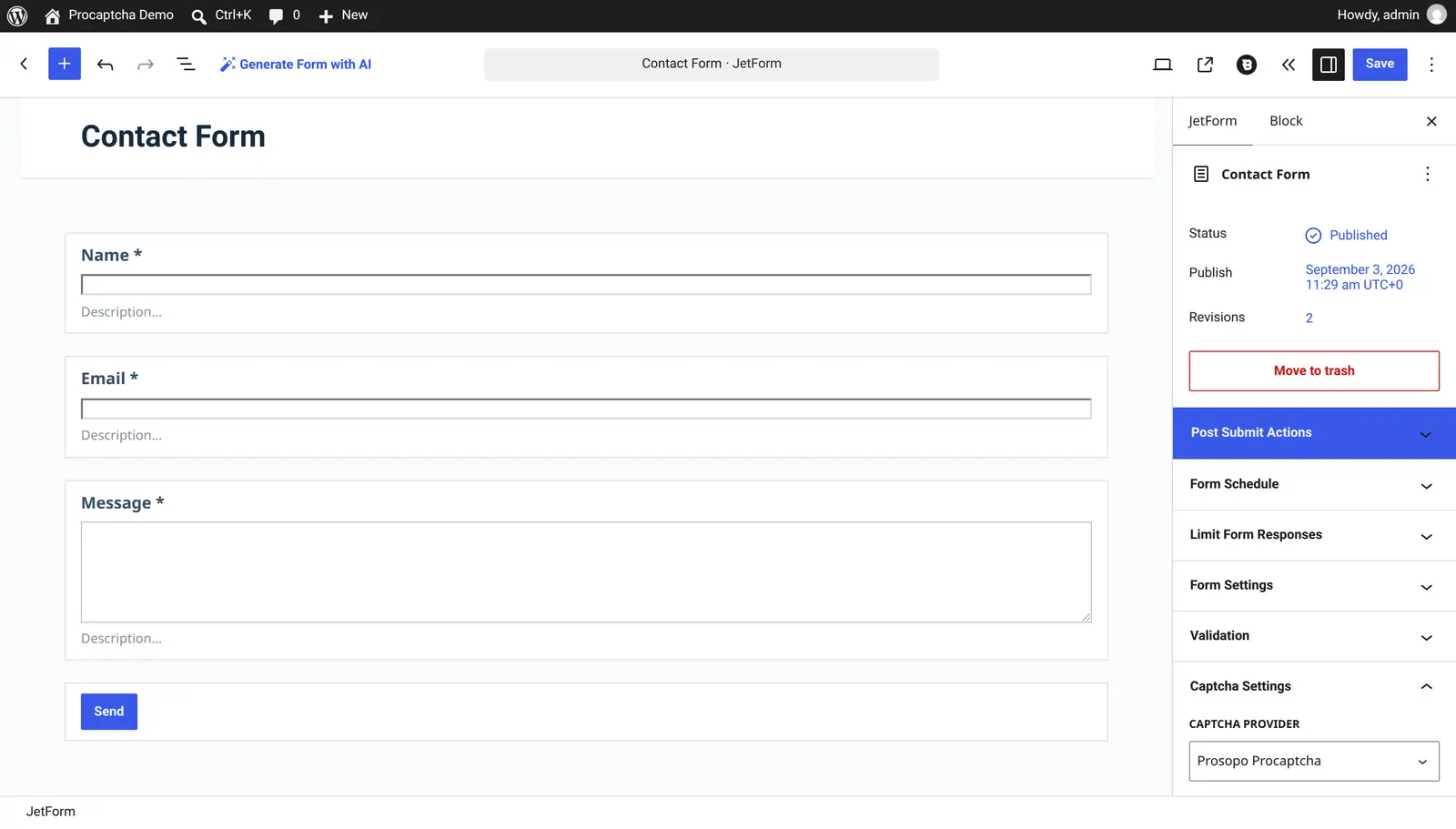
Save the form and the CAPTCHA is live. Procaptcha registers itself as a first-class JetFormBuilder captcha provider, so JetFormBuilder verifies the token with its own request handler and rejects failed submissions using the form's own "Captcha failed" message — no extra field, no editor JavaScript, no template changes.
Note: unlike the other providers in that dropdown, Procaptcha does not ask for keys under JetFormBuilder → Settings → Captcha Settings. It reuses the site key and secret key you already entered in the Procaptcha plugin settings.
For the full reference, see the JetFormBuilder integration guide in the Prosopo docs.
Ready to ditch Google reCAPTCHA?
Procaptcha is free for 10K requests a month. No credit card, no cookies.