
How to add CAPTCHA to Divi
Replace Divi's basic maths CAPTCHA with a free, privacy-first alternative — Procaptcha protects the Divi Contact Form and Login modules without breaking your layout.

CAPTCHA Updated 2 min read

What is Divi?
Divi is Elegant Themes' visual page builder, one of the most widely deployed premium WordPress products. It is available both as a theme (Divi and Extra) and as a standalone Divi Builder plugin, and its Contact Form and Login modules are used on a very large number of business sites.
Divi's own spam protection is a "basic CAPTCHA": an arithmetic question such as 3 + 5. That stopped naive bots a decade ago. Today, any commodity spam framework solves simple arithmetic in milliseconds, so the friction lands on your visitors rather than on the bot.
Why Use Prosopo Procaptcha With Divi?
Prosopo is a specialist bot and agent trust platform. Every block comes with a reason, in plain words, on a proprietary detection engine with an open-source client stack. UK-incorporated, EU-processed, GDPR-native. It stops the abuse patterns WordPress form spam alone doesn't cover:
- Scraping
- Denial of inventory
- Credential stuffing
- Account takeover
- Click through rate/ad fraud
- Ticket scalping
- Black friday automation (and more general sale automation)
- Phishing attacks
- Loyalty programme automation
Prosopo also keeps visitor data out of Google's data controller chain for reCAPTCHA telemetry — the 2026 reCAPTCHA terms change reclassified Google as controller rather than processor.
Being spammed by bots?
Stop spam for free today
How to integrate Prosopo Procaptcha with Divi
Install the Prosopo WordPress plugin
Register for a free account on Prosopo
Login to the Prosopo dashboard, and copy your site key and secret key
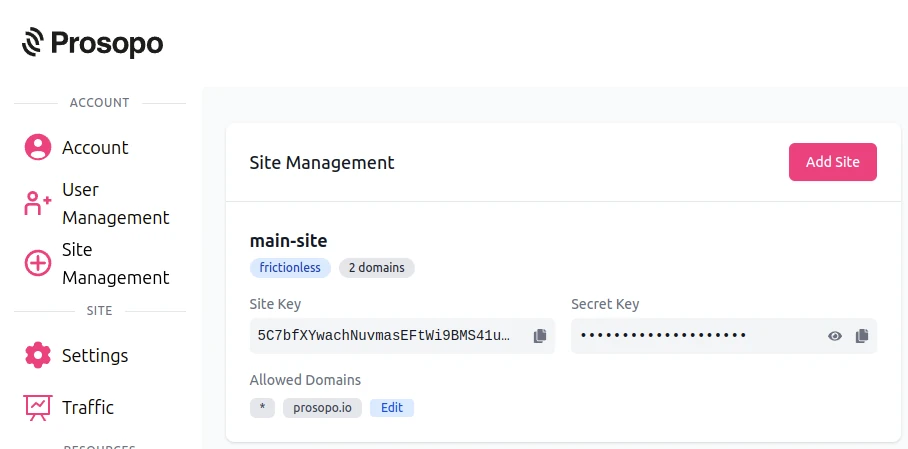
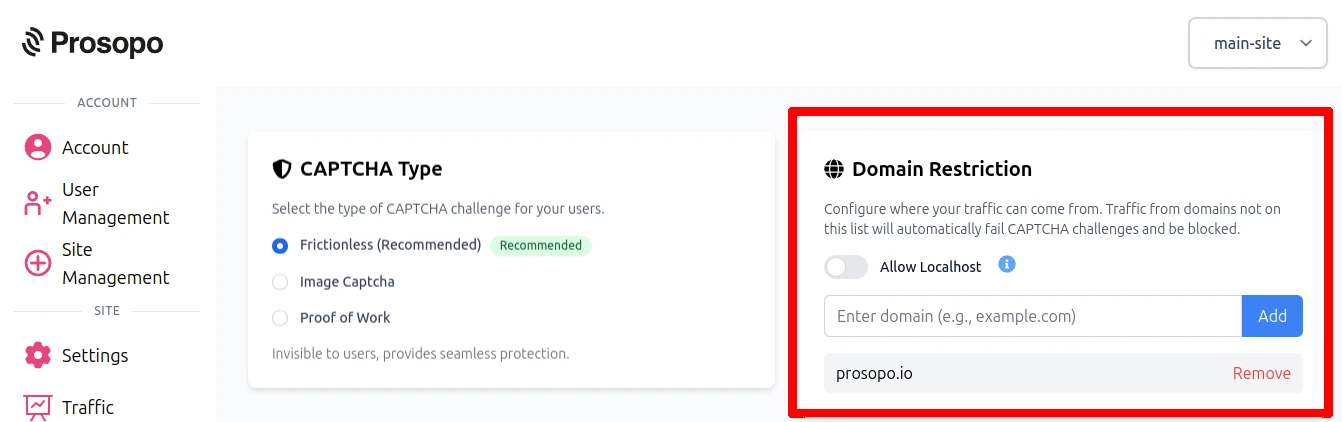
- Add your domain in the Prosopo dashboard, if it is not already present
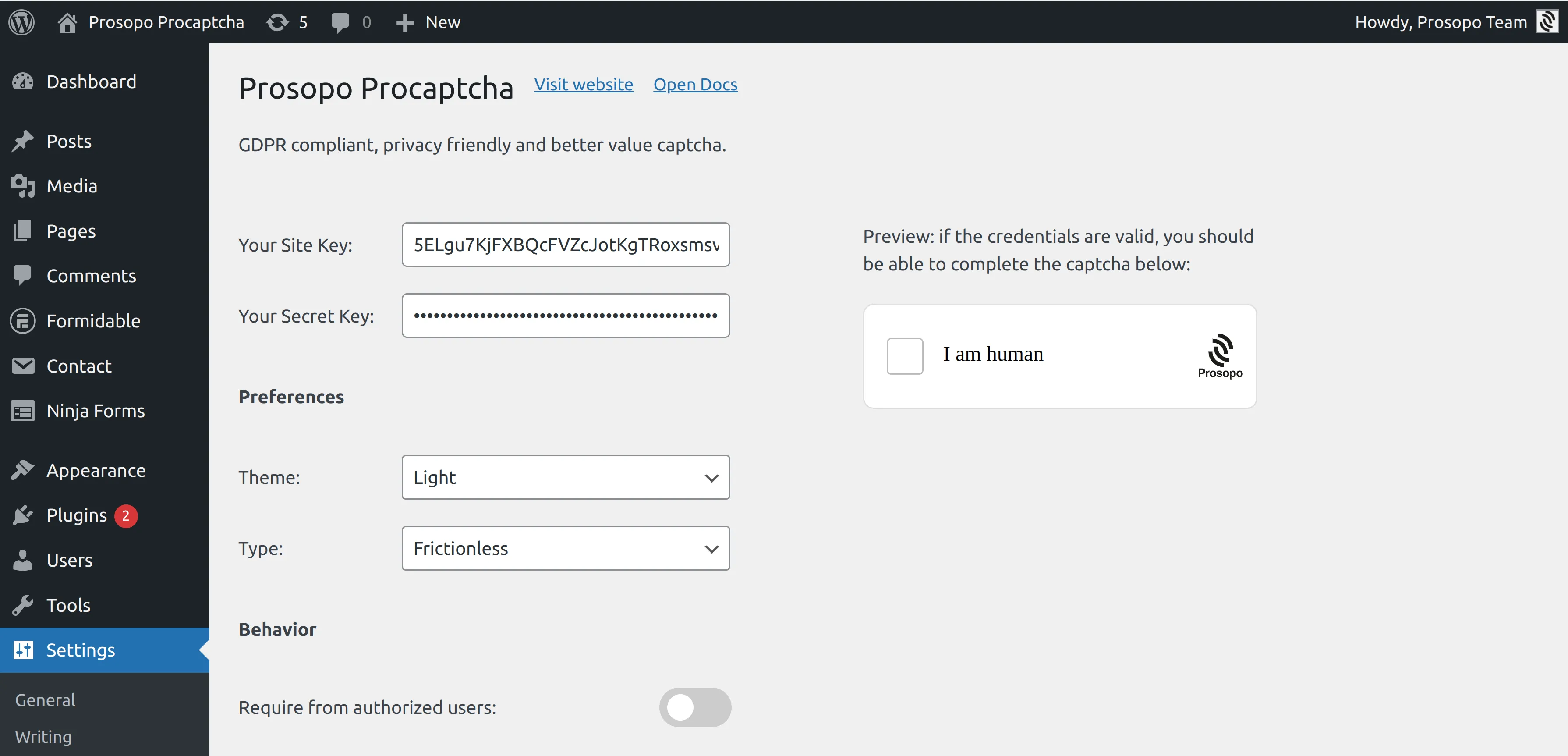
- Add your site key and secret key to the Prosopo WordPress plugin settings. You can find them in Site Management in the Prosopo dashboard.
Open the page in the Divi Builder, edit the Contact Form module and switch Use Basic Captcha to "Yes" on the Content tab. That existing toggle is the opt-in: Procaptcha takes over from there, removing the arithmetic question and rendering the Procaptcha widget in its place, just above the submit button.
For the Divi Login module, open the "Core forms" tab of the Procaptcha settings and enable "Protect the login form". The Login module submits to the native WordPress login flow, so that toggle is what covers it — the module itself has no Procaptcha setting.
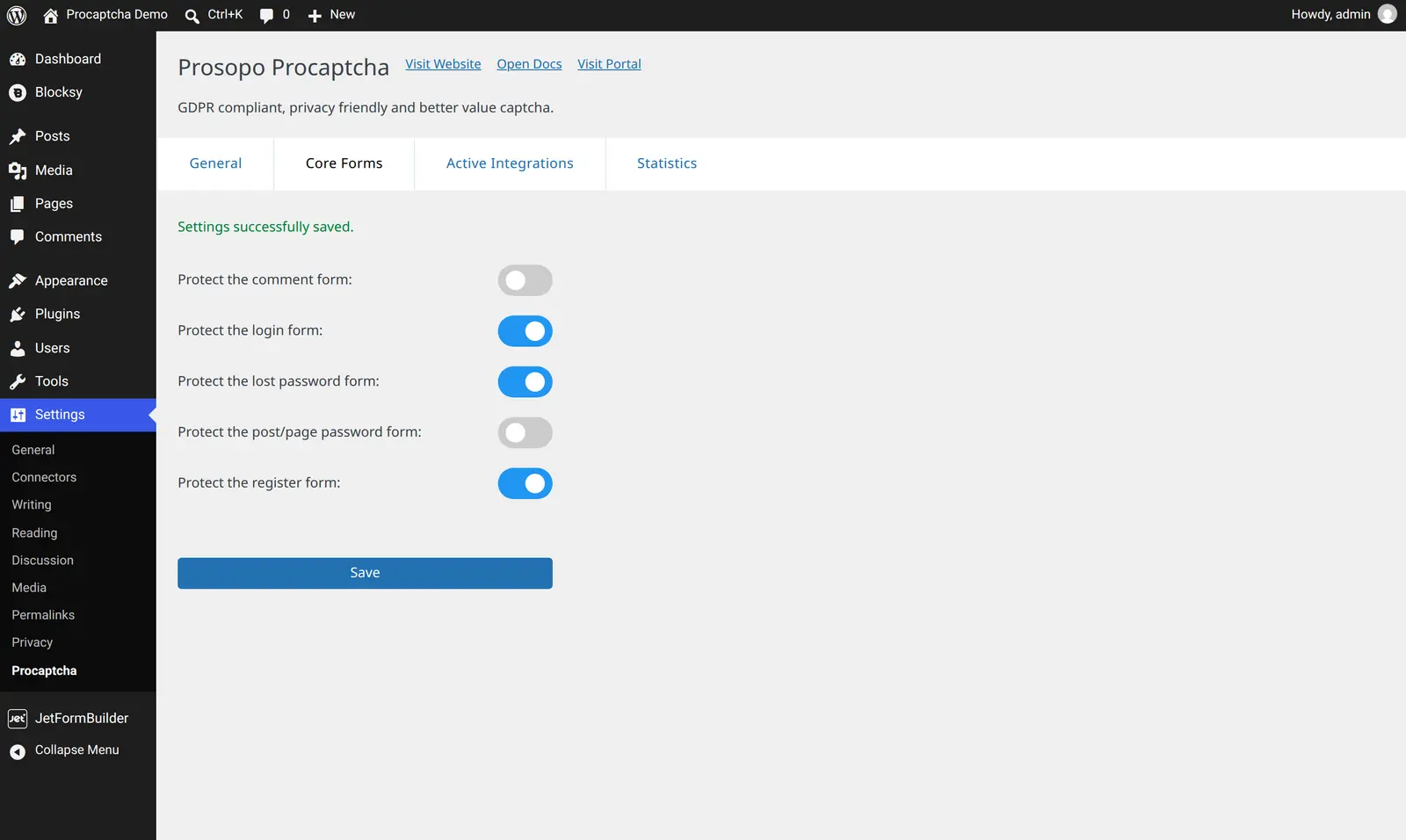
Save the page and the CAPTCHA is live. A submission with a missing or invalid token is failed using Divi's own captcha error, so visitors see Divi's normal error styling rather than something bolted on.
One thing to know: Procaptcha deliberately renders nothing while the Divi Visual Builder is open, so the builder canvas stays clean. Preview the page, or view it logged out, to see the widget.
For the full reference, see the Divi integration guide in the Prosopo docs.
Ready to ditch Google reCAPTCHA?
Procaptcha is free for 10K requests a month. No credit card, no cookies.