
How to add CAPTCHA to bbPress
Stop bot topics and replies on your bbPress forum — add Procaptcha to registration, new topic and reply forms in a few clicks. Free tier included.


What is bbPress?
bbPress is a popular forum plugin for WordPress that enables users to easily add discussion boards and forums to their websites. It integrates seamlessly with WordPress, allowing site owners to create and manage community-driven forums without the need for complex setups.
Key features of bbPress include the ability to create multiple forums, each with its own categories and topics. Users can participate in discussions by posting threads, replies, and managing their profiles. The plugin supports user roles and permissions, allowing administrators to control access levels, such as who can create topics or moderate posts.
bbPress is lightweight and optimized for performance, ensuring that it doesn’t slow down the site even as the forum grows. It offers moderation tools, such as spam protection, topic approval, and the ability to manage posts and user accounts. The plugin also supports integration with WordPress users, allowing existing site members to access and interact within the forums easily.
Customizability is a key advantage of bbPress. It is compatible with many WordPress themes and plugins, and developers can extend its functionality through add-ons for additional features like private messaging, attachments, or advanced search options.
Overall, bbPress is a straightforward, flexible solution for adding forums to WordPress websites, ideal for building online communities or offering user support.
Why Use Prosopo Procaptcha With bbPress?
Prosopo is a specialist bot and agent trust platform. Every block comes with a reason, in plain words, on a proprietary detection engine with an open-source client stack. UK-incorporated, EU-processed, GDPR-native. It stops the abuse patterns WordPress form spam alone doesn't cover:
- Scraping
- Denial of inventory
- Credential stuffing
- Account takeover
- Click through rate/ad fraud
- Ticket scalping
- Black friday automation (and more general sale automation)
- Phishing attacks
- Loyalty programme automation
Prosopo also keeps visitor data out of Google's data controller chain for reCAPTCHA telemetry — the 2026 reCAPTCHA terms change reclassified Google as controller rather than processor.

How to integrate Prosopo Procaptcha with bbPress
Install the Prosopo WordPress plugin
Register for a free account on Prosopo
Login to the Prosopo dashboard, and copy your site key and secret key
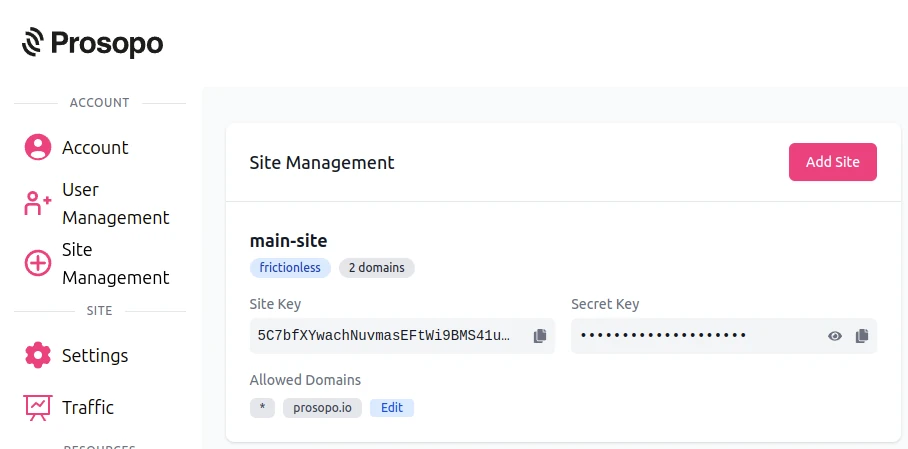
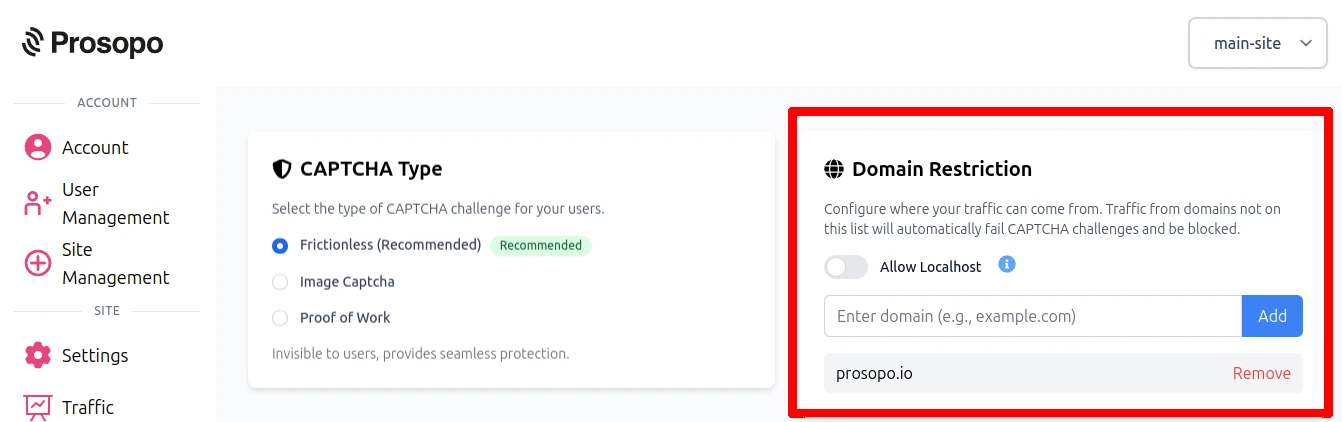
- Add your domain in the Prosopo dashboard, if it is not already present
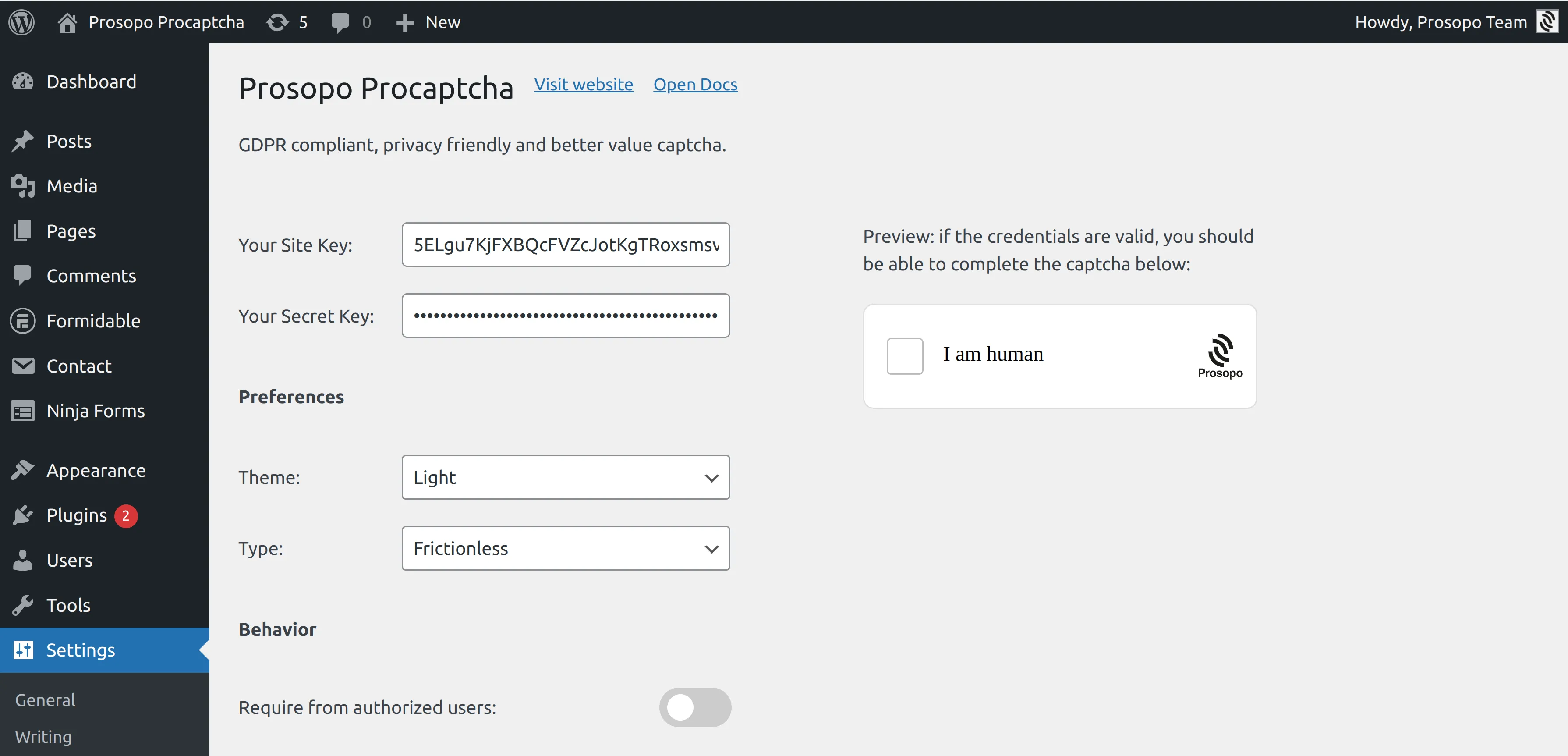
- Add your site key and secret key to the Prosopo WordPress plugin settings. You can find them in Site Management in the Prosopo dashboard.
- From within any Form in bbPress, select "Prosopo Procaptcha".
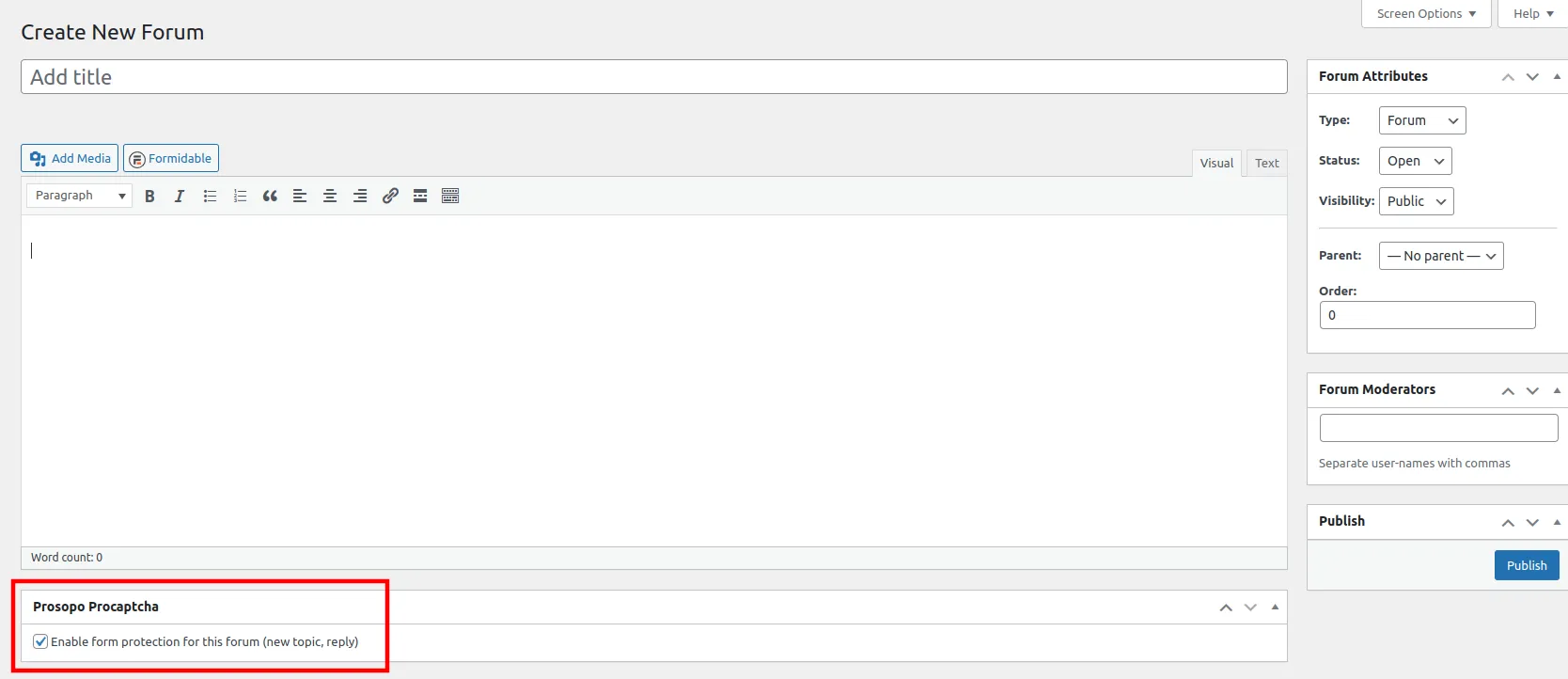
Once you save the forum, CAPTCHA will automatically be included in it. Remember to repeat the process for every bbPress forum you want to add CAPTCHA to.