
How to deploy Procaptcha on your website or app
How to switch from Google's reCAPTCHA to Prosopo Procaptcha and protect your website or app from bots for free.

Technical 3 min read
We've recently released the beta version of our first open source product, Prosopo Procaptcha, and we're excited to see it being used by developers to protect their websites and apps from bots. In this article we'll walk you through the steps required to deploy Procaptcha on your own website or app.
What is Procaptcha?
Procaptcha is a human verification system that protects your website or app from bots. It's a drop-in replacement for Google's reCAPTCHA and is designed to be easy to deploy and use. It's free for smaller sites and it's better value than Google's reCAPTCHA for high traffic websites.
How does it work?
Procaptcha uses a combination of machine learning and human verification to determine whether a user is a human or a bot. When a user attempts to access a protected resource, they are presented with a challenge. This challenge is designed to be easy for humans to solve but difficult for bots. If the user successfully completes the challenge, they are allowed to access the resource. If they fail, they are blocked from accessing the resource.
How do I deploy Procaptcha?
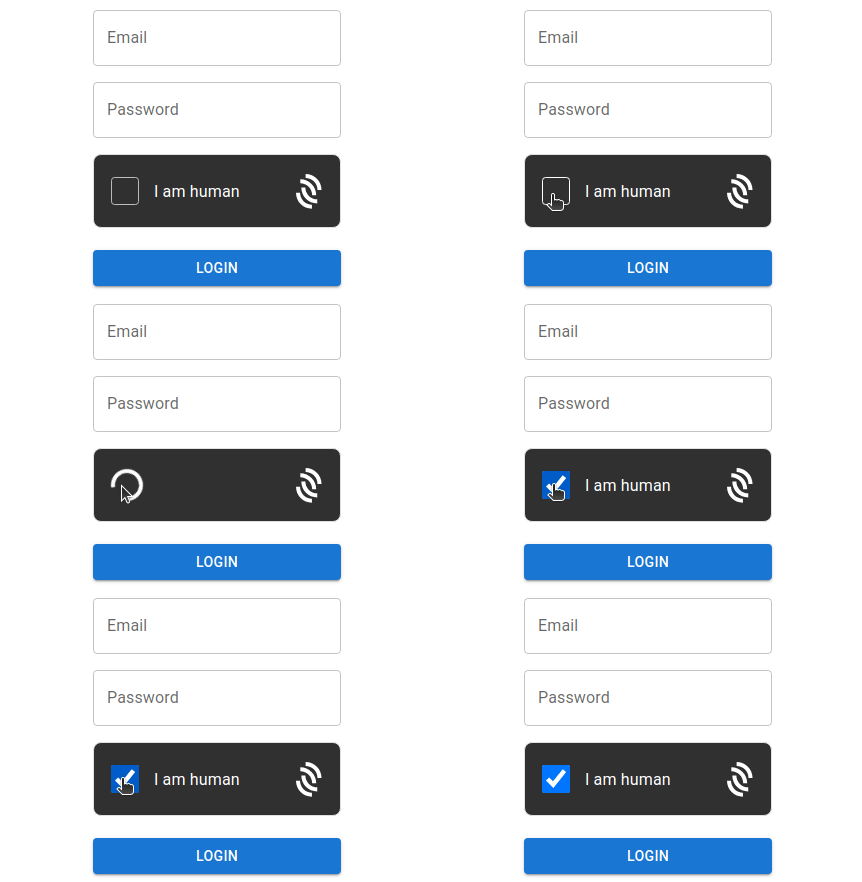
Deploying Procaptcha is easy. All you need to do is add a snippet of JavaScript to your website or app. The JavaScript snippet will display the Procaptcha challenge to your users and verify their response. If you're using React, you can import our Procaptcha react component and include it directly in your app.
JS Snippet Instructions
Check your emails for a verification link and click it, making note of your
SITE_KEY.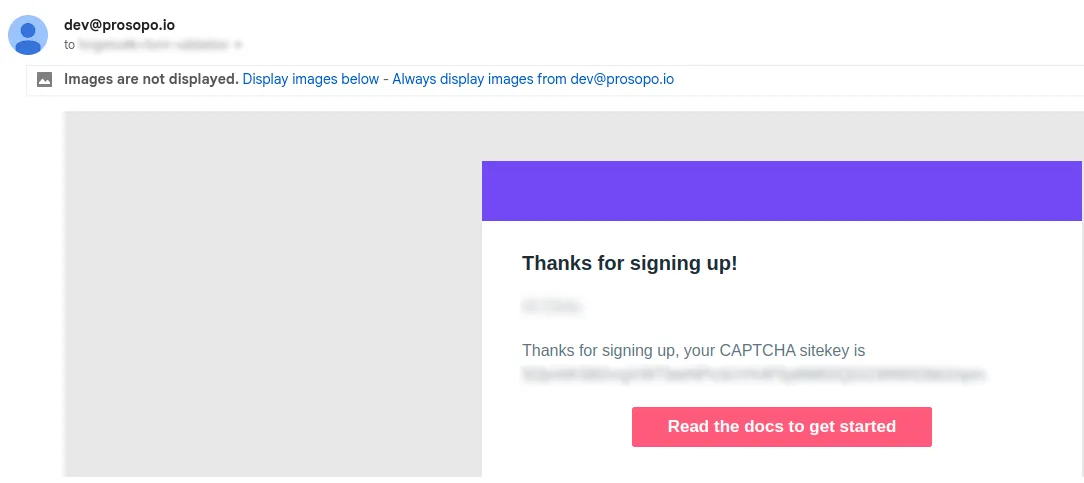
Add the Prosopo Procapctcha bundle script to the
<head>section of your website:<script src="https://js.prosopo.io/js/procaptcha.bundle.js" async defer></script>Add the following snippet to any forms you wish to protect, replacing
YOUR_SITE_KEYwith theSITE_KEYyou received in the welcome email.<div class="procaptcha" data-sitekey="YOUR_SITE_KEY"></div>Any forms containing this
divwill automatically be protected by Procaptcha.
Once a user has successfully completed a captcha challenge, a procaptcha-response token will be added to the form containing the procaptcha widget. You can use this token to verify the response on your server.
Verifying the procaptcha-response token on the Server
When a user submits a form protected by Procaptcha, you'll need to verify the response on your server. You can do this by sending a POST request to our verification endpoint with your SECRET_KEY and the procaptcha-response token. If the response is valid, the user is human and you can proceed to process the form submission. If the response is invalid, the user is a bot and you should block them from accessing the resource.
Example using curl
$ curl -X POST https://api.prosopo.io/siteverify \
  -H "Content-Type: application/json" \
  -d '{"secret":"YOUR_SECRET","token":"PROCAPTCHA_RESPONSE"}'
Example using Node.js
// This is not a real secret key. In production, we recommend
// you store your secret key(s) safely.
const SECRET_KEY = '0x0000000000000000000000000000000AA';

async function handlePost(request) {
 const body = req.body;
 // Procaptcha injects a token in "procaptcha-response".
 const token = body.get('procaptcha-response');

 // Validate the token by calling the
 // "/siteverify" API endpoint.
 const verifyData = {
   'secret': SECRET_KEY
   'token': token
 };

 const url = 'https://api.prosopo.io/siteverify';
 const result = await fetch(url, {
  body: JSON.stringify(verifyData),
  method: 'POST',
 });

 const outcome = await result.json();
 if (outcome.verified) {
  // ...
 }
}
Check out our documentation for more detailed instructions, including how to use Procaptcha with React.
What's next?
We're working hard to improve Procaptcha and add new features. Our roadmap includes:
- Support for more languages
- Support for more challenge types
- Support for custom challenge types
- Support for custom themes
- Support for custom challenge difficulty
- Frictionless bot detection without user interaction
If you have any feedback or suggestions, please get in touch with us at hello@prosopo.io.
Need Some Help Deploying Procaptcha?
A Bot Exposure Assessment is a 30-minute call with an engineer. We look at your traffic, show where your current setup leaves gaps, and agree how a trial would be judged. Nothing to install first.
Related reading
 CAPTCHA · How to Choose a GDPR-Friendly CAPTCHA for WordPress Stop spam & stay GDPR-compliant! Learn how to choose a GDPR-friendly CAPTCHA for WordPress that boosts security without tracking.
  Critical PHP flaws: update PHP on your WordPress site now Two critical PHP flaws disclosed on 21 October 2026 (CVE-2026-109618 and CVE-2026-109619) let an attacker run code on a server without logging in. Update to PHP 8.2.35, 8.3.36, 8.4.27 or 8.5.12. Here is how to check, how to update, and what to do if you can't yet.
  CAPTCHA · Stop giving your website data away! Find out why reCAPTCHA, hCaptcha, and Cloudflare Turnstile may be secretly monetising your website data, and how Prosopo's Procaptcha is solving this problem.
  CAPTCHA · Switching From reCAPTCHA to Prosopo: What's Involved What changes when you swap reCAPTCHA for Prosopo — integration surface, verdict shape, GDPR posture, and what your team sees in the dashboard.
  CAPTCHA · What is the best value CAPTCHA in 2024? Find out what the best value CAPTCHA is in 2024 and how it compares to other popular CAPTCHA solutions.
  CAPTCHA · reCAPTCHA is Changing Its Terms of Service — What Site Owners Need to Do Google's reCAPTCHA is showing 'Take action' on sites with older keys. What the ToS change means, which keys are affected, and how to remediate.