
How to add CAPTCHA to User Registration Plugin
Kill fake signups on the WordPress User Registration plugin — Procaptcha blocks throwaway emails and abusive networks before the account is created.


What is the User Registration Plugin?
The User Registration plugin for WordPress is a powerful tool that allows website owners to easily create and manage user registration forms on their sites. This plugin is designed to streamline the user registration process, enabling users to sign up, log in, and manage their accounts with minimal effort.
One of its key features is the drag-and-drop form builder, which allows users to create custom registration forms without any coding knowledge. The plugin includes pre-built form templates, making it simple to set up forms for various purposes, such as membership sign-ups, event registrations, or custom user roles.
User Registration supports custom user fields, allowing you to tailor the form to gather specific information from users, such as phone numbers, addresses, or additional profile details. The plugin also offers advanced features like email notifications, user role assignment, and customizable registration confirmation messages.
For ease of use, User Registration is mobile-responsive, ensuring the forms look and work well on all devices. The plugin also enables users to register, log in, and reset their passwords, offering a seamless experience for both website owners and users.
Furthermore, it provides options for custom login forms and social login integration, allowing users to register or log in using their social media accounts (such as Facebook, Google, or Twitter). The plugin supports both free and premium versions, with the premium version offering advanced functionalities such as multiple form creation, conditional logic, and integrations with third-party services.
Overall, the User Registration plugin is a comprehensive solution for managing user accounts on WordPress websites.
Why Use Prosopo Procaptcha With the User Registration Plugin?
Prosopo is a specialist bot and agent trust platform. Every block comes with a reason, in plain words, on a proprietary detection engine with an open-source client stack. UK-incorporated, EU-processed, GDPR-native. It stops the abuse patterns WordPress form spam alone doesn't cover:
- Scraping
- Denial of inventory
- Credential stuffing
- Account takeover
- Click through rate/ad fraud
- Ticket scalping
- Black friday automation (and more general sale automation)
- Phishing attacks
- Loyalty programme automation
Prosopo also keeps visitor data out of Google's data controller chain for reCAPTCHA telemetry — the 2026 reCAPTCHA terms change reclassified Google as controller rather than processor.

How to integrate Prosopo Procaptcha with User Registration Plugin
Install the Prosopo WordPress plugin
Register for a free account on Prosopo
Login to the Prosopo dashboard, and copy your site key and secret key
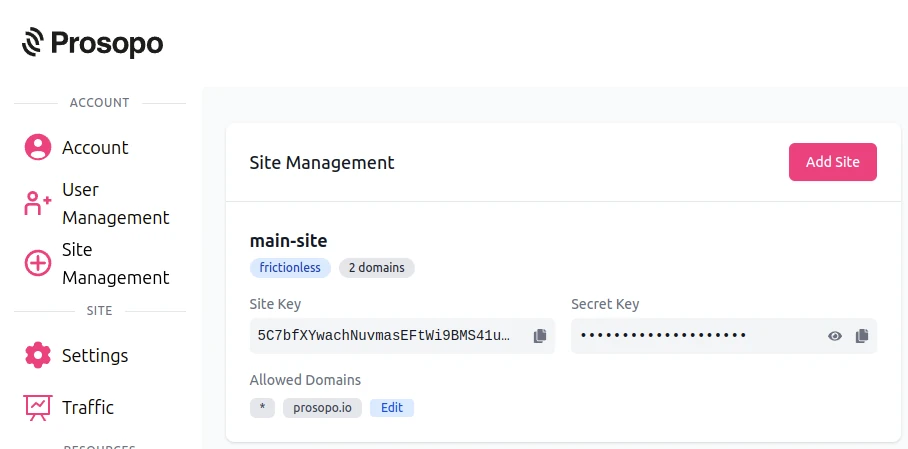
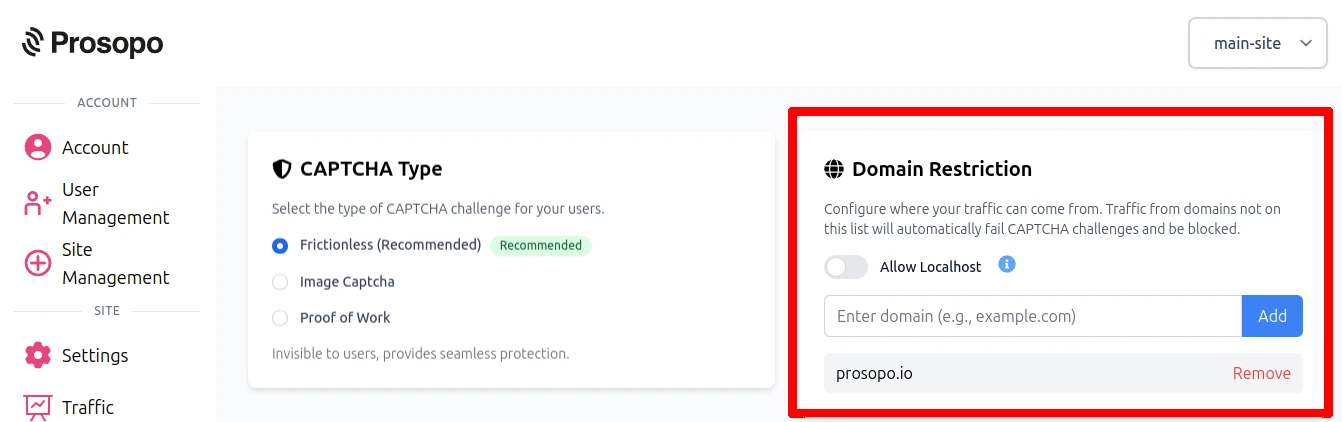
- Add your domain in the Prosopo dashboard, if it is not already present
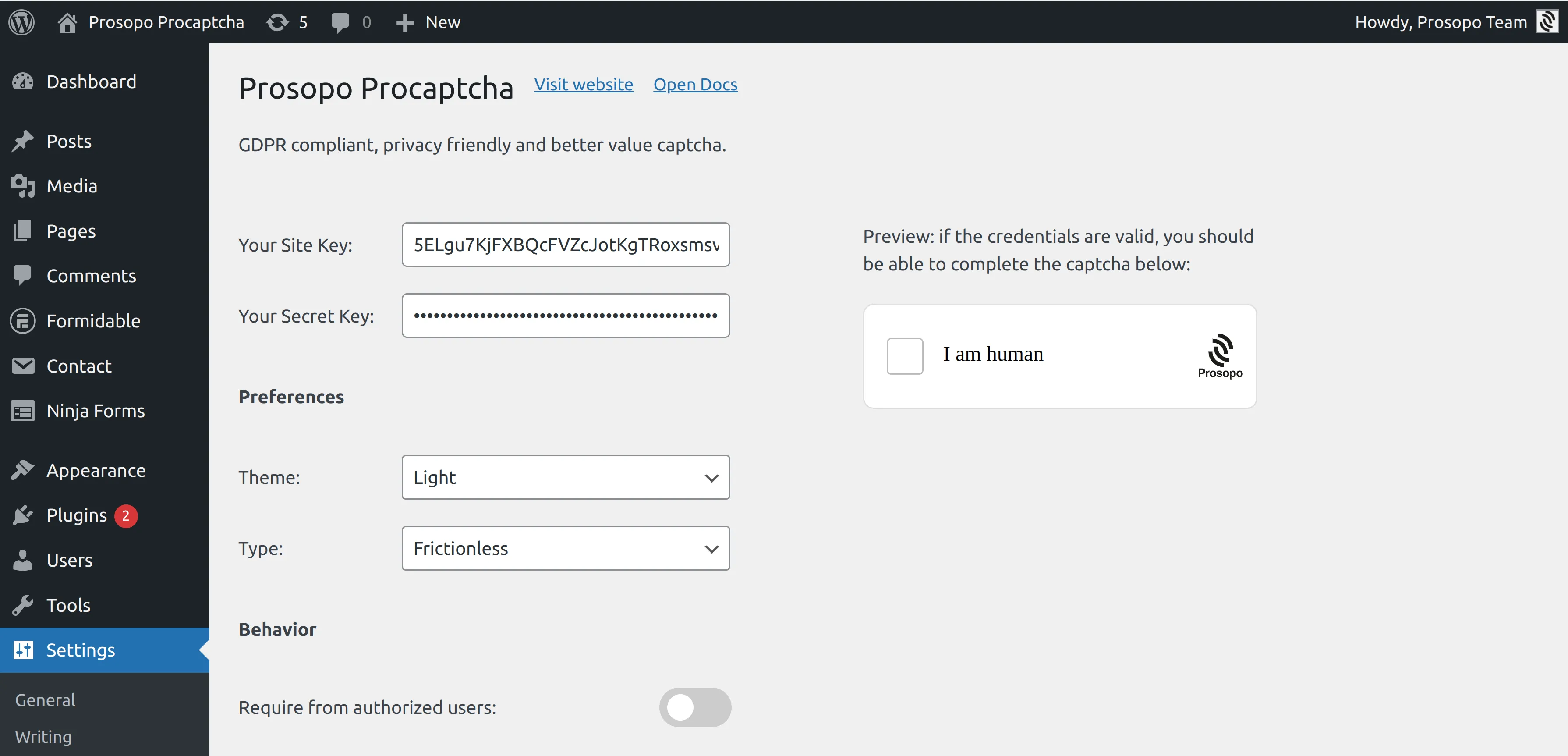
- Add your site key and secret key to the Prosopo WordPress plugin settings. You can find them in Site Management in the Prosopo dashboard.
- From within any Form in User Registration Plugin, select "Prosopo Procaptcha".
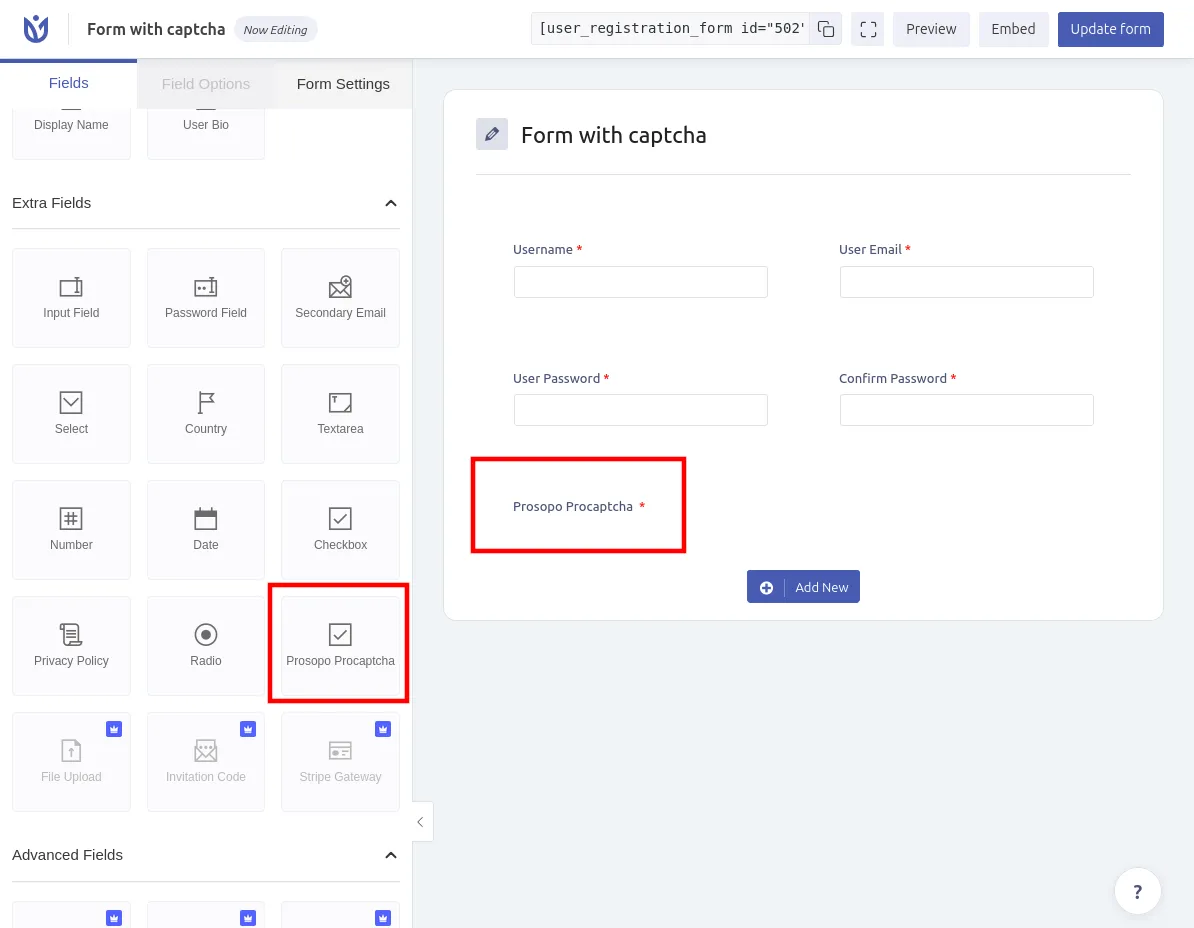
Once you save the form, CAPTCHA will automatically be included in it. Remember to repeat the process for every User Registration Form you want to add CAPTCHA to.